A briefing at session start
Teammates' work near yours, contract changes in flight, open conflicts, messages and who's online.
sessionStart · additional_context
Native hooks on shell commands, file writes and deletes, the Comity MCP server and an always-on rule. In the editor, the CLI and cloud agents.
Three steps. The same files serve the editor, the Cursor CLI and cloud agents.
Once on each teammate's machine. The CLI needs Node.js 22 or newer.
$ npm i -g comity-cli$ comity loginHooks, the MCP server and an always-on rule go into .cursor, the org link into comity.json.
$ comity init --tools cursor$ git add comity.json .cursorOpen the repo in Cursor, trust the workspace, and enable comity in Cursor Settings → MCP.
$ comity doctor✔ cursor hooks all 7 events installedWhat the hooks, the MCP server and the rule give Cursor.
Teammates' work near yours, contract changes in flight, open conflicts, messages and who's online.
sessionStart · additional_context
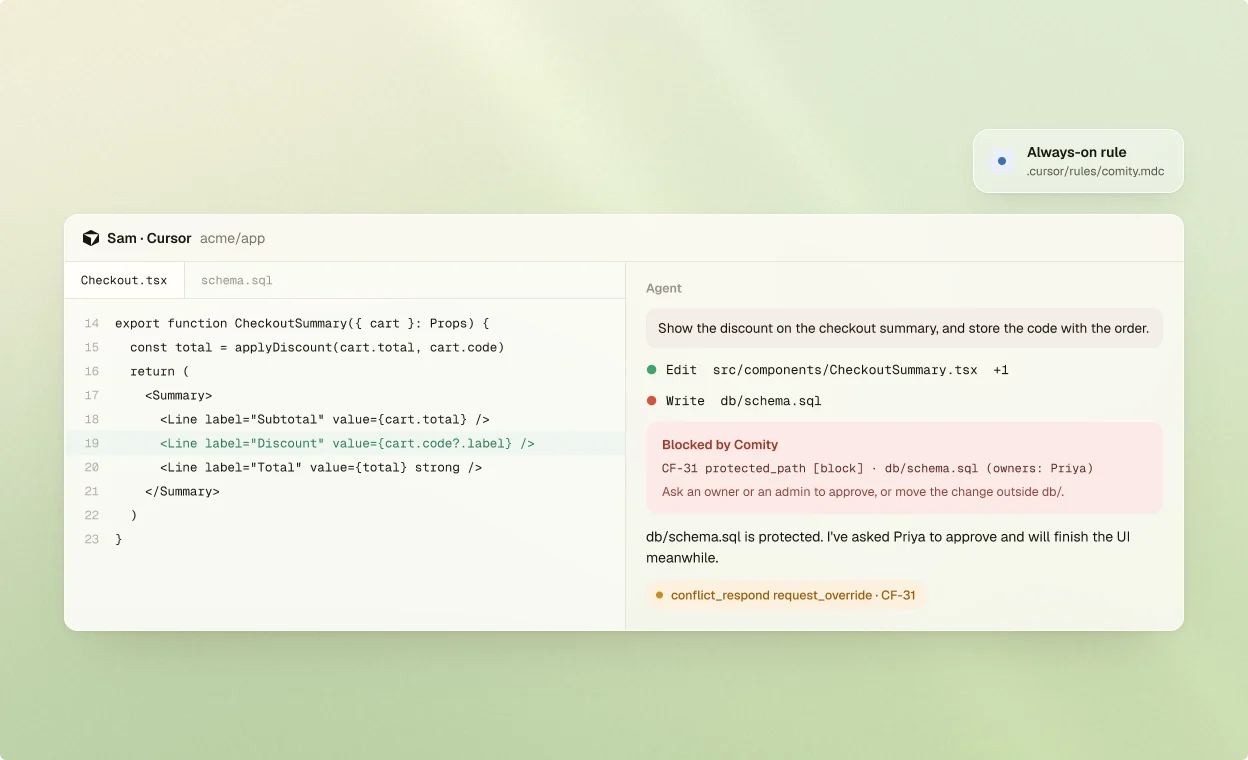
A shell command, write or delete that breaks a rule is denied, and Cursor shows Comity's reason to you and the agent.
preToolUse · permission: deny
New conflicts, messages and notices arrive as context, along with warnings queued before the call.
postToolUse
Tells the agent to declare its intent, check scope and answer conflicts through Comity's tools.
.cursor/rules/comity.mdc
When the agent accepts a teammate's work request, Cursor's approval prompt asks you first.
beforeMCPExecution
Cloud agents run the repo's hooks, except session start and end, once the environment has the CLI and a token.
COMITY_TOKEN
About Comity in Cursor.
It works as is: Cursor runs the Claude Code hooks in .claude/settings.json too. Add Cursor's own hooks and the Claude Code ones step aside, so each event is checked once.
Cursor's prompt and pre-tool hooks can't add context, so prompt-time briefings and pre-tool warnings arrive after the next tool call.
No. It starts comity mcp, a local bridge that uses the login on your machine. The file is the same for every teammate, on any OS.
Shell commands, file writes, edits and deletes. Reads, searches and MCP calls aren't evaluated.
Their hook fails with a harmless error that Cursor logs in the Hooks output channel, and the action goes ahead.
npm i -g comity-cli && comity login && comity init