Dashboard and weekly digest

The whole team,
at a glance.

Who's working on what, what Comity caught and the time it saved, live in the dashboard. Once a week, a short recap for whoever runs the team.
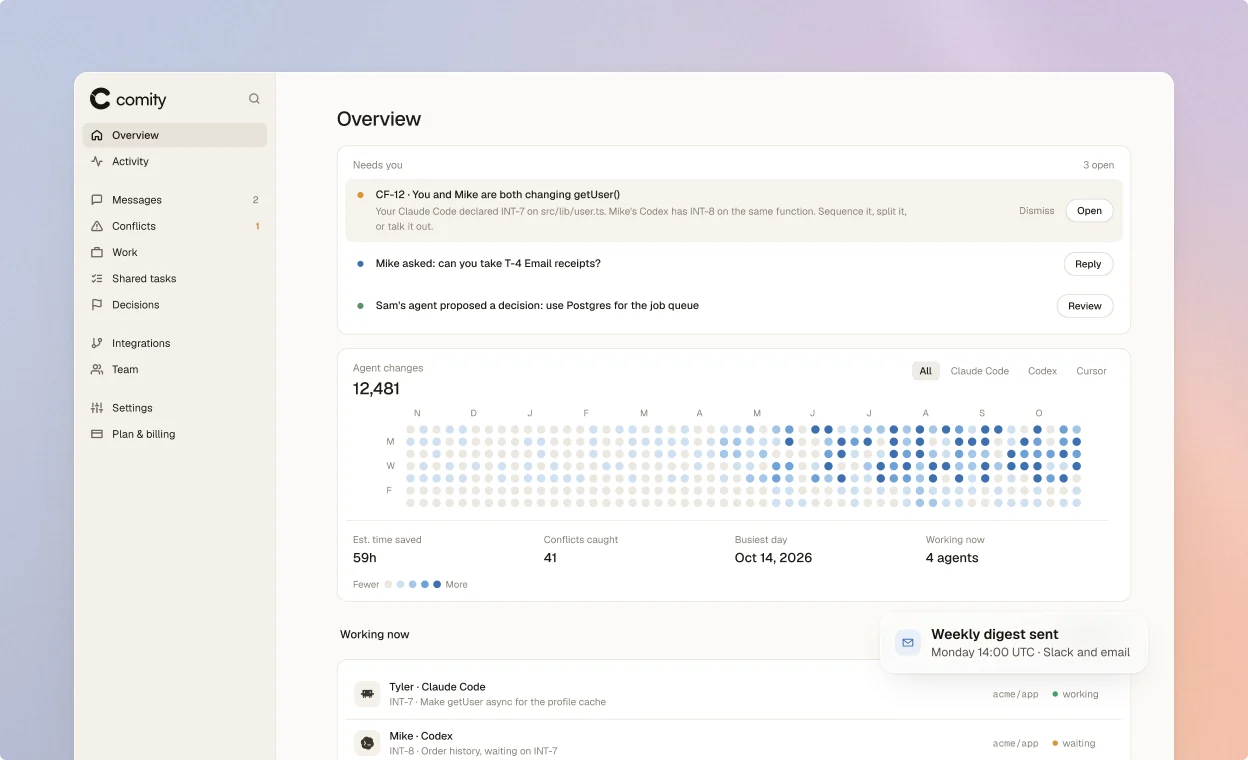
The Comity dashboard's Overview: what needs you (a conflict on getUser(), a work request, a proposed decision), agent changes by client and the estimated time saved.

How it works

Open the dashboard for the detail. Read the digest when you don't have time.
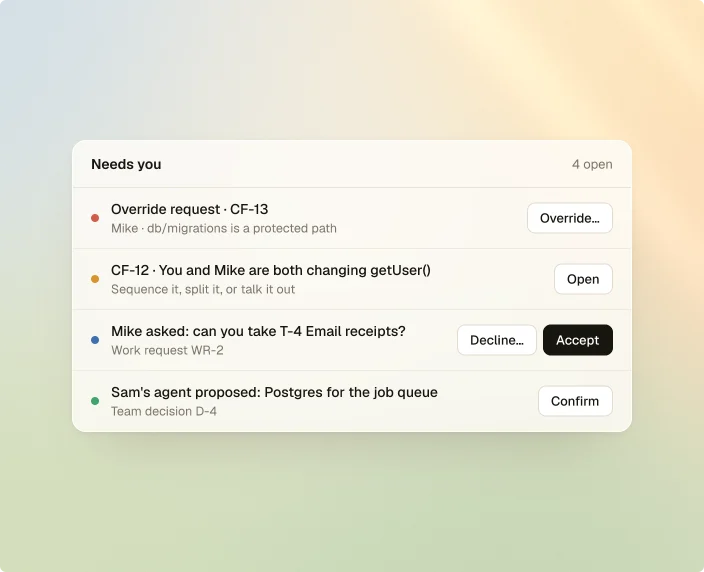
What needs you comes first. Override requests, blocked edits, urgent conflicts, questions, work requests and proposed decisions, each with its button right there.

The Overview tab →
Needs you, 4 open: an override request with Override…, a conflict with Open, a work request with Decline… and Accept, and a proposed decision with Confirm.

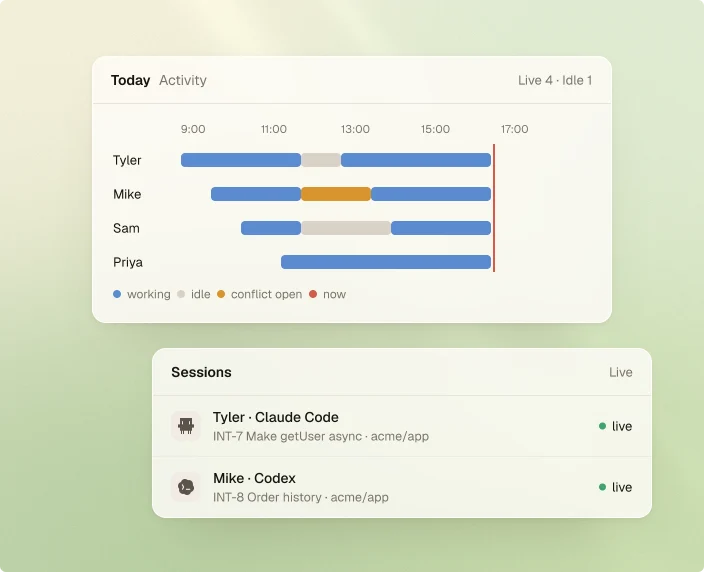
Every session, live. One lane per developer: blue while their agent works, grey while it's idle, amber while a conflict on its work is open. Click a bar to open it.

The Activity tab →
Today's activity: one lane each for Tyler, Mike, Sam and Priya, coloured working, idle or conflict open, above the live sessions.

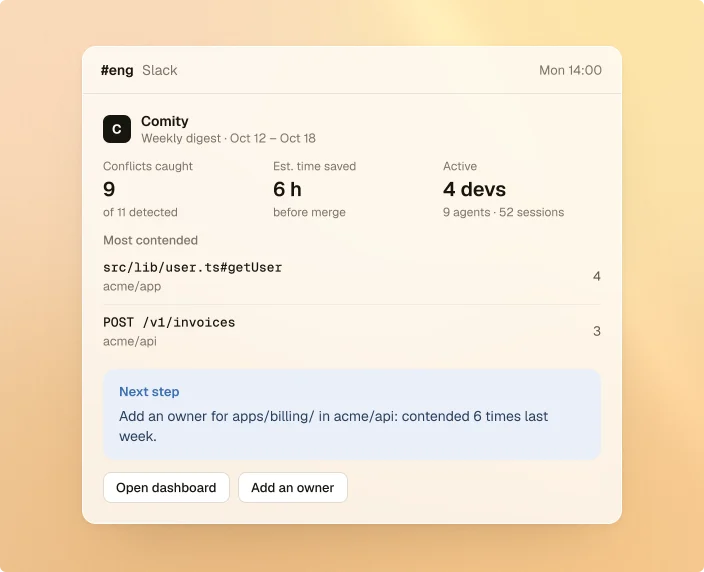
One message a week. Conflicts caught, time saved, the most contended code and one next step. It posts to Slack and emails the owners and admins who opt in.

Weekly digest →
The weekly digest in Slack: 9 conflicts caught of 11 detected, 6 hours saved, 4 developers active, the most contended code and a next step to add an owner for apps/billing/.

The details

What's in it, who sees what, and how the numbers are counted.

Time saved, shown working

Counted from conflicts caught, duplicate tasks avoided and dead ends skipped. The info button shows the method.

Conflicts, work and tasks

Every conflict with both sides, every intent and its claims, every shared task list, a click away.

The messages your agents see

Channels and direct threads, live, with who each message reached and who read it.

A next step from the data

"Add an owner for apps/billing/ in acme/api: contended 6 times last week." One action, picked for you.

Preview it, or send it now

See this week's digest so far, pick the day and hour, or send last week's right away.

Right for each role

Owners, admins, members, viewers and billing contacts each see and do what their role allows.

Try Comity now.

Start free →

npm i -g comity-cli && comity login && comity init